
You have a 60-second voice memo, a laptop where app installs are locked down, and a browser tab. That is enough to clean a voice note without installing Descript â and the whole loop takes about two minutes.
Nearly every guide you'll find starts inside the editor itself, which is fine if you own the machine and useless if IT does. So the memo sits there, and you re-record it a fourth time rather than fix the take you already have. That loop, not the software, is the real cost.
Here is the browser-only path, start to finish: upload the file, run a noise pass, run a filler pass, review what the tool flagged, then export or translate. No timeline, no download, no license prompt.
Step four is where most people get it wrong â cleaning is not a maximum-deletion setting, and a note with zero hesitations can sound like a machine reading a script. Why that happens, and which ums are worth keeping, is covered below.
VClar strips fillers and cabin hum from a raw M4A and can then translate the cleaned message into any of 11 languages, including Hindi, Japanese, and Portuguese, without swapping your voice for a synthetic one.
Can You Really Clean a Voice Note in a Browser?
Yes. A browser tab is enough to clean a voice note â no download, no install, no admin password. You need a modern browser, the audio file itself, and roughly two minutes.
That combination is what makes the no-install path work on a managed work laptop where the app store is blocked, or on a phone where nobody wants one more app icon. Upload sizes and formats are the only real constraint, so start with what your recorder already produced: M4A from an iPhone voice memo, MP3 from most Android recorders, WAV from a desktop capture, or OGG from a call recorder.
- Upload the file. Drag your M4A, MP3, WAV, or OGG into the upload area, or record directly in the tab if the memo lives on another device. You should see the file name and a duration that matches your recording.
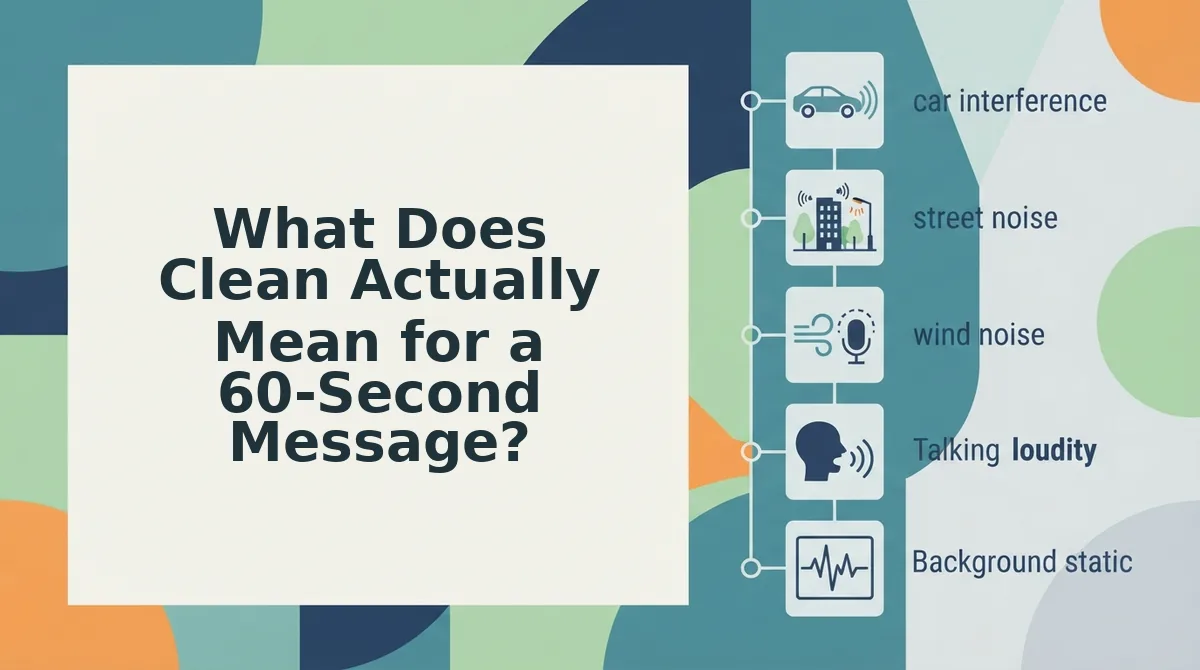
- Run the noise pass first. Select the noise reduction control before touching a single word. Take the worst case â a memo recorded in a car with the AC running. Let the pass handle the cabin hum; success looks like the low drone gone while your consonants stay intact.
- Run the filler pass second. Apply remove filler words from a voice note to strip um, uh, like, basically, you know, and repeated false starts. Success looks like a transcript noticeably shorter than the one you started with.
- Review at the seams. Play the file rather than reading it. Listen for clipped consonants where a hesitation was cut and for a sentence that now starts too abruptly.
- Export or translate. Download the cleaned audio and transcript, or send the cleaned version into translation. You should end with a file that plays start to finish without a single re-record.
What file do you upload from a phone?
Upload the native recording, not a converted copy. An iPhone voice memo saves as M4A (AAC audio in an MP4 container), and that file uploads as-is â converting it to WAV first adds size and gains nothing. Android recorders typically write MP3 or M4A depending on the manufacturer's default app; check the share sheet's file details if you're unsure. If your recorder offers OGG or WAV, both upload fine. Avoid screen-recording audio and voice notes forwarded through messaging apps, since those are often re-compressed and lose the top end that makes speech sound crisp.
What Does Clean Actually Mean for a 60-Second Message?
Clean is the smallest set of edits that makes a 60-second message sound like you on a good day â not the largest set of deletions the software can find.
Think of it as tailoring rather than rebuilding. A tailor takes in the seams so the jacket fits you; they don't sew a different jacket.
At the simple level, that means stripping hard: false starts you abandoned mid-word, dead air longer than a breath, and repeated words where you restarted a sentence. Those carry no meaning and no tone.
At the intermediate level, it's a judgment call, so use the no-install decision test. One take, under 90 seconds, no music bed, no video to sync â browser cleanup is the right tool. Layered audio, a long interview, or anything that has to line up with picture â that belongs in a desktop editor with a timeline.
At the advanced level, check the waveform gap, not just the transcript the tool hands you. Pro tip: zoom into the join where a hesitation was removed. A clean cut leaves a short, natural pause; a suspiciously tight one means the edit clipped the tail of a word.
Which is why filler counts are a poor target. A note with zero ums can read as synthetic, and the tension is real â Descript's own guidance warns that cutting every hesitation makes audio sound robotic. Keep one or two. If you want a baseline, count the filler words in a voice note before and after; a number near zero is a warning sign, not a trophy.
The harder case is the sentence that simply stops halfway â which is what the next section handles.
How Do You Fix a Sentence That Trails Off Mid-Thought?
Finish the thought out loud, then let grammar correction rebuild the trailing clause rather than delete it. You need the raw recording, a browser tab, and about 90 seconds.
- Keep recording instead of restarting (5 seconds). Say the sentence to its end, even if the wording comes out clumsy. You should end with a complete thought in one take, not a fourth attempt.
- Upload the file (20 seconds). Drag the M4A from your phone's voice memo folder â or an MP3 or WAV â into the upload field. You should see the filename and duration land in the queue.
- Turn on Grammar in the cleanup settings (one click). This control rewrites what you said into what you meant. You should see the transcript revise in place, the trailing clause rebuilt rather than cut.
- Read the rebuilt clause against your intent (30 seconds). Compare it to what you remember saying. You should see the same idea, complete rather than truncated.
- Translate only after cleanup is final (20 seconds). Choose the target in the languages menu â 11 languages across 110 directions. You should see final audio in the second language, built from the corrected line.
Clean first, translate second â the order is the whole method. A translator renders the sentence it receives, so a clause that trails off produces a target-language clause that trails off in exactly the same place. Cleanup first hands the language pass a complete subject and verb, and the 11-language translation then carries meaning instead of carrying noise. Reversed, you pay twice: once to repair the sentence, and again to repair what the repair produced.
Worked example: a founder's investor update by voice stalls at "and so the runway, um, weâ". Finishing the sentence takes five seconds, fixing the trailing clause takes one pass, and translating the clean result into Hindi for a backer takes one more.

How Do You Check the Cleaned Voice Note Before You Send It?
Play the cleaned file once on headphones before you send it. Four checks take under a minute: tone preserved, accent intact, no clipped consonants, and no audible gap where a breath used to sit.
- Tone preserved. Listen for the delivery you would use on a normal Tuesday, not a broadcast read. If the pitch has flattened, the cleanup went too far and the message will read as scripted.
- Accent intact. Your accent should survive contact with the editor. A cleaned note that sounds regionless has traded identity for polish, which costs you credibility with anyone who knows how you speak.
- No clipped consonants. Check word endings â the t in "contract," the s in "terms." Tight cuts shave them off and turn precise sentences into mush on a phone speaker.
- No gap where a breath used to be. Breath removal should shorten pauses, not erase them. Silence stitched too tight sounds robotic, so leave one hesitation in place on purpose.
Then ask the only question that decides it: would a client or investor hear a person, or hear a process? If the audio is layered, synced to picture, or sitting under a music bed, stop and use a desktop editor â see how this compares to Descript.
The Point Is a Message You Send Once
The note you nearly re-recorded was already sendable. It needed an ending, not an install â and one-take sending replaces the re-record loop that eats the afternoon.
Two rules carry the entire workflow forward: finish the thought before you stop recording, and clean before you translate. Reverse that order and every ambiguity travels with the message into the second language. Keep one hesitation, too; a note with zero ums sounds processed, and the goal is a person speaking clearly.
Start with the filler and grammar cleanup in your browser, then read how voice cleanup preserves your natural tone if you are still deciding where clean ends and synthetic begins.
You can also remove fillers from a recording.