
A script idea lands while you're driving: a hook, a cold open, a line too good to lose. You grab your phone and talk for a minute. Later you play back a memo buried in "ums," half-finished sentences, and road noise.
Re-recording feels pointless. Opening a full production project for 60 seconds of audio feels like overkill.
That friction is the creator version of the re-record loop, and it's why vclar vs descript for creators is worth settling. Nearly every ranking YouTube comparison pits Descript against other video editors, including Riverside, Opus Clip, Vizard, CueClip, and Wisecut. Almost none compares it to a voice-note cleaner.
Yet raw memos full of verbal fillers, awkward pauses, and disjointed grammar are a daily problem for creators capturing scripts and feedback. This guide sorts out which tool fits which job.
You'll get a quick verdict, a side-by-side criteria table, and a list of common creator tasks sorted by tool. One simple question ends up deciding almost every case.
Use Descript for finished, publish-ready production. Use VClar to clean quick spoken script ideas and feedback notes in one take.
Should Creators Use VClar or Descript for Quick Voice Notes and Script Ideas?
Use VClar when the audio is a short pass-along message, such as a script idea or a feedback note, that needs fillers, grammar, and noise cleaned in one take. Use Descript when the audio is a finished asset headed for an audience, such as an episode, a video, or a podcast.
The deciding factor is where the audio goes next, not which tool has the longer feature list.
The Publish vs. Pass-Along Test
The Publish vs. Pass-Along test is a one-question filter for choosing an audio tool: is this recording a finished asset for an audience, or a working message to a collaborator or your future self? Published audio needs editing control, a timeline, and export options, which is Descript's territory. Pass-along audio only needs to be clear, correct, and quick to send. A script idea for tomorrow's shoot, a pacing note for your editor, and a voice update to a co-host all fall in the pass-along bucket. For those messages, cleaning the recording in one take matters more than shaping it frame by frame.
Think of it like a sticky note versus a printed poster. You wouldn't hire a print shop for a reminder on your fridge, and you wouldn't tape a sticky note to a billboard.
The 90-Second Rule
For a faster call, add a length check. VClar is built for messages of roughly 45 to 90 seconds with no timeline editing, so you never drag clips or trim waveforms by hand.
- Under about 90 seconds and not for publishing: use VClar.
- Longer, multi-track, or video work: use Descript. Multi-track means several separate recordings layered together, such as two podcast mics.
Edge cases resolve the same way. A 70-second hook you plan to post directly is a publish job. A long brainstorm meant only for you works best when you split it into shorter pass-along memos.
If your collaborators speak another language, VClar can also translate a cleaned note across 11 languages while keeping your own voice. See the full workflow in our guide to voice notes for creators.
VClar vs Descript Side by Side for Creator Jobs
VClar and Descript solve different creator jobs. VClar cleans short spoken messages in one take and returns polished audio plus a transcript in your own voice. Descript is a text-based audio and video editor for building finished, publishable projects on a timeline.
| Criteria | VClar | Descript* |
|---|---|---|
| Core job | Clean and translate spoken messages | Edit and produce audio and video content |
| Typical clip length | About 45 to 90 seconds | Full episodes and long-form projects |
| Output | Cleaned audio plus transcript | Edited media file or project export |
| Editing effort | One take, no timeline | Text-based audio and video editing on a project timeline |
| Voice handling | Natural tone, accent, and cadence preserved; no synthetic voice | Offers an AI voice cloning option |
| Translation | 11 languages, 110 directions | Check descript.com for current options |
| Learning curve | Record or upload; no editing skills needed | More to learn, as with any full editor |
*Descript details are summarized from its publicly described features. Confirm current capabilities on descript.com.
VClar removes filler words, fixes spoken grammar, tightens phrasing, and reduces background noise, breath sounds, and mouth clicks. Descript also offers filler-word removal and audio enhancement inside its editor. Its strength is control over a full production, which a quick-note tool doesn't try to match.
- Best for VClar: solo creators who capture script ideas on the go and send voice feedback to editors or collaborators.
- Best for Descript: YouTubers and podcasters producing finished episodes for an audience.
Creator Jobs Sorted by Bucket
- Script idea capture: Pass-Along, so use VClar.
- Editor feedback note: Pass-Along, so use VClar.
- Collaborator voice update: Pass-Along, so use VClar.
- YouTube episode edit: Publish, so use Descript.
- Multi-track podcast: Publish, so use Descript.
To test the Pass-Along side yourself, remove filler words from audio on your next script memo. For pricing context and deeper feature detail, read our full VClar vs Descript comparison.
Some creator jobs, however, clearly belong to Descript.
Where Descript Is the Better Choice for Creators
Descript is the better choice when the job is production: editing video, building multi-track podcasts, and exporting finished files. It is a full audio and video editor, and YouTube reviews tend to compare it with other video editors, which shows that its natural home is production work.
- Editing video. Descript handles video and audio together, so cuts to the transcript also change the footage. This matters when your idea has become a filmed episode. Use it once you have footage to cut, not just a thought to save.
- Producing multi-track podcasts. Interviews with separate speaker tracks need alignment, levels, and arrangement. A production editor is designed for that work. Bring your recorded episode into Descript when more than one voice needs mixing.
- Editing long recordings as text. Text-based editing lets you delete words in a transcript to cut the matching audio. That speeds up hour-long recordings. Use it to trim long sessions where scrubbing a waveform would be slow.
- Exporting publish-ready files. Finished episodes need export settings for each platform. Descript treats export as the final step of a project. Use it when the output goes straight to your audience.
- Exploring AI voice features. Descript has offered AI voice tools, including voice cloning. Check descript.com for current availability and terms before you rely on them. Evaluate this feature on its own merits for your channel.
Doesn't Descript already remove filler words?
Yes. Descript lists filler word removal among its editing tools (confirm current feature names on descript.com). The real difference is workflow weight. Descript means a project, a timeline, and an export, while VClar instantly cleans up one short message.
Descript is not a weak tool for quick ideas. It is simply too much tool for a 60-second thought.
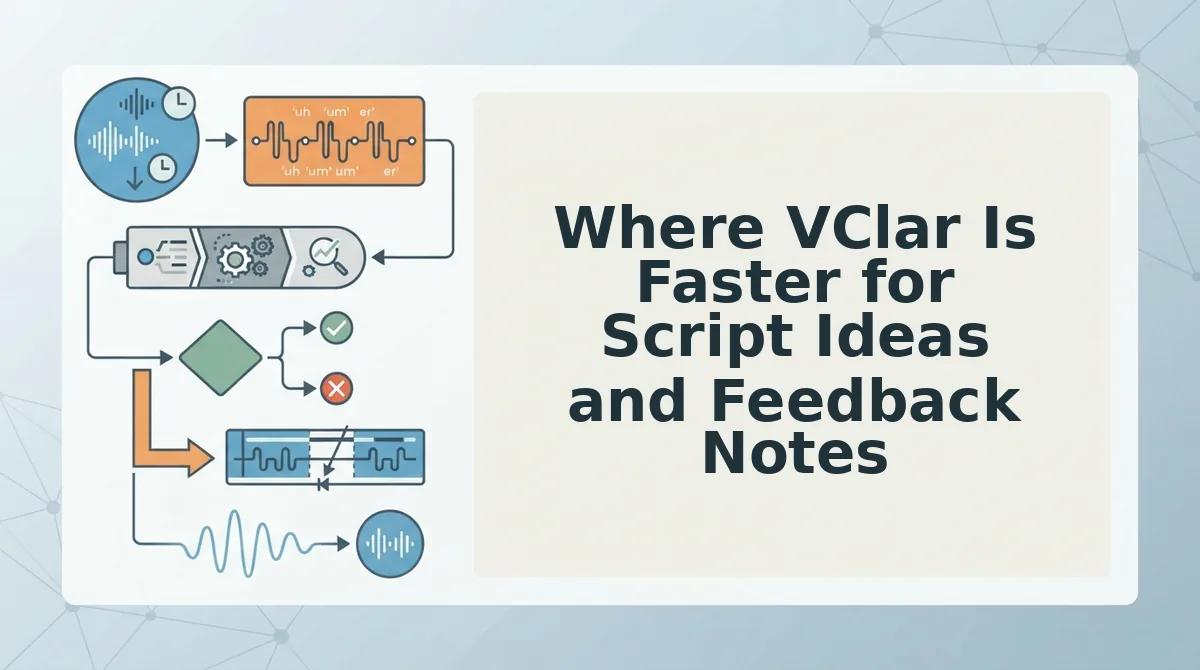
Where VClar Is Faster for Script Ideas and Feedback Notes
VClar is faster when you need one short message cleaned up in a single take, with no project, timeline, or export step. You record, it cleans, and you get polished audio plus a transcript.
Before you start: you need a phone or computer with a microphone and access to VClar. Keep each message to about 45 to 90 seconds.
Worked example 1: a script idea recorded in the car
- Record the idea in one take once you are safely parked. Speak naturally and allow for "ums" and false starts (about 60 seconds). The full idea is captured, rough edges included.
- Let VClar clean the recording. It removes filler words, road noise, breath sounds, and mouth clicks, and it can fix grammar in a voice message. You should hear a tighter, decisive version without needing to re-record.
- Save the audio and transcript. Paste the transcript into your script doc (under a minute). Your idea is now a usable first draft.
Worked example 2: feedback for an editor who speaks another language
- Record your feedback on the latest cut, naming timestamps out loud (about 90 seconds).
- Clean the note so the instructions sound clear and sequenced.
- Translate it with the voice note translator in 11 languages: Hindi, English, French, Japanese, Korean, German, Russian, Portuguese, Spanish, Italian, and Chinese, which covers 110 translation directions. Your editor receives the feedback in their language.
Will my voice still sound like me? Yes. VClar does not create a synthetic clone, and it keeps your tone, accent, and cadence intact.
Capturing script ideas by voice works best when recording carries no pressure. Creators often lose ideas because typing interrupts their thinking, and re-recording a memo to sound polished kills the momentum. The faster approach is to speak the idea once, exactly as it comes, and then clean it afterward. An AI voice message translator such as VClar removes fillers, fixes spoken grammar, and reduces background noise while preserving the speaker's natural voice. The output is clear audio plus a transcript you can paste straight into a script outline, turning a 60-second spoken thought into a usable draft.
Clean your next feedback note in one take.
What VClar Does Not Do and How to Use Both Tools Together
VClar is not a Descript replacement. It is a message cleaner for short voice notes, and it works best before production starts.
VClar is an AI voice message translator and enhancer that turns 45 to 90 second spoken messages into clean audio and transcripts. It has no timeline editing (arranging clips along a time track), no video editing, and no multi-track production. It does not offer voice cloning by design, because your real voice is the point.
Think of VClar as a notebook and Descript as a recording studio. Ideas get sketched in the notebook, and the finished track gets made in the studio.
A combined workflow uses each tool where it is strongest:
- Capture the raw idea or feedback in VClar and clean it.
- Draft from the transcript and clean audio, treating them as your script outline or brief.
- Produce the final episode in Descript: record, edit, and export.
- Review by sending editor feedback back through VClar, translated if needed.
Worked example 3: a creator records a 75-second episode concept on a walk and cleans it in VClar. They paste the transcript into an outline, film and edit the episode in Descript, and then send a cleaned, translated feedback note to a Spanish-speaking editor.
You do not have to choose only one tool. Each one covers a different stage of the same pipeline.
So which tool should you open the next time an idea hits?
Which Tool Should You Open Next Time an Idea Hits?
Open VClar when the idea is a pass-along. Open Descript when it is headed for publication.
That is the Publish vs. Pass-Along test, and the 90-second rule makes it automatic. A note under about 90 seconds meant for a collaborator, an editor, or your future self goes to VClar. Long, publish-ready, or video work goes to Descript.
Before your next idea hits:
- Ask one question: will this be published or passed along?
- Check the length: a pass-along under about 90 seconds belongs in VClar.
- Record once: skip the re-record loop and let VClar strip fillers and fix spoken grammar.
Run your next voice memo through VClar. You get a clear message from a single take, and it still sounds like you.
Choose the tool by where your words are going: pass-alongs deserve one clean take, and published work deserves a full edit.