
You record a 60-second update, play it back, and hear a sentence that trails off, a false start, and three "ums" before your point lands. So you record it again, and then again. For second-language speakers, that re-record loop is not a sign of weak English. It happens when you think faster than you can phrase in a language you learned later.
This guide to VClar vs Descript for non-native speakers covers one job: sending voice notes, not editing video. You will see how each tool handles the three grammar jobs (detect, rewrite, re-voice), what cleanup does to your accent, and where translation fits.
Quick answer: VClar fits quick 45-90 second voice notes that need spoken grammar fixed in your own voice, plus translation across 11 languages and 110 directions. Descript fits long-form podcast, video, and multitrack editing, where you control every cut. Choose based on message length and on who you want fixing the grammar: the tool or you.
Raw memos carry verbal fillers, awkward pauses, and disjointed grammar that weaken your authority, even when the idea is sharp. Two questions shape the verdict below. Will AI cleanup erase your accent? And why does the more powerful editor make this job harder?
For a feature-by-feature breakdown beyond the non-native-speaker angle, see the full VClar vs Descript comparison.
What Is the Core Difference Between VClar and Descript?
VClar enhances a finished voice message. It detects and fixes spoken grammar, removes fillers, and reduces noise while keeping your voice. Descript is a transcript-based audio and video editor, where you edit the media by editing the text.
Transcript-based editing is a workflow where deleting or changing words in a transcript cuts the matching audio or video. Spoken grammar correction is the automatic repair of errors that happen in speech, such as sentence fragments and false starts, without changing what you meant to say.
Descript's strength is control. It is built for creators who want to shape long recordings cut by cut. For a non-native speaker, that same control puts the grammar work back on you.
| Criteria | VClar | Descript |
|---|---|---|
| Who detects grammar errors | VClar detects sentence fragments, false starts, and circular phrasing | You, by reading the transcript |
| Who rewrites them | VClar rewrites the phrasing | You, by editing the transcript text |
| Who re-voices the fix | VClar, in your own voice | You re-record, or use AI voices (formerly Overdub) [verify against Descript docs] |
| Filler-word removal | Automatic: ums, ahs, "like," "basically," "you know," repeated false starts | Filler word removal tool [verify against Descript docs] |
| Noise cleanup | Reduces background noise, breath sounds, and mouth clicks | Studio Sound [verify against Descript docs] |
| Accent preservation | Keeps your natural tone, accent, and rhythm | Original takes keep your accent; AI voice edits [verify against Descript docs] |
| Translation | 11 languages, 110 directions, in your voice | Translation features [verify against Descript docs] |
| Typical message length | 45-90 second voice notes | Long-form podcasts, video, and multitrack projects |
| Learning curve | Record or upload, then review the changes side by side | Full editing workspace with timeline and multitrack [verify against Descript docs] |
Best for VClar: founders, sales reps, and cross-border operators sending short voice notes in a second language who want the grammar fixed for them.
Best for Descript: podcasters and video creators who edit long recordings and want hands-on control over every cut.
If your messages run under 90 seconds, record one take in VClar and check the side-by-side view of what changed before you send it.
How Does VClar Fix Spoken Grammar for Non-Native Speakers?
VClar handles all three grammar jobs itself. It detects the error, rewrites the phrasing, and re-voices the fix in your own tone and accent, so you review the result instead of editing it.
Spoken grammar correction is the repair of errors that appear in speech rather than in writing. Three patterns matter most:
- Sentence fragment: a thought that stops before it is complete.
- False start: beginning a sentence, abandoning it, and restarting.
- Circular phrasing: restating the same point in loops before reaching it.
The "Who Fixes the Grammar?" Framework
Think of a spell-checker that underlines mistakes, compared with an editor who hands back a corrected draft in your own handwriting. A transcript editor gives you the underline. VClar gives you the corrected draft.
VClar also shows a side-by-side comparison of what changed. Seeing your own fragments next to the corrected version makes recurring patterns visible, so each message becomes quiet practice for your spoken English.
Which Tool Fixes Spoken Grammar?
VClar fixes spoken grammar automatically, while Descript leaves grammar fixes to the person editing the transcript. In VClar, you record or upload a voice note. The tool detects sentence fragments, false starts, and circular phrasing, rewrites them into clear sentences, and re-voices the corrected lines in your own tone, accent, and rhythm. In Descript, you read the transcript, decide what is wrong, edit the text yourself, and then re-record or use AI voices [verify against Descript docs]. That suits creators who want control, but for non-native speakers s
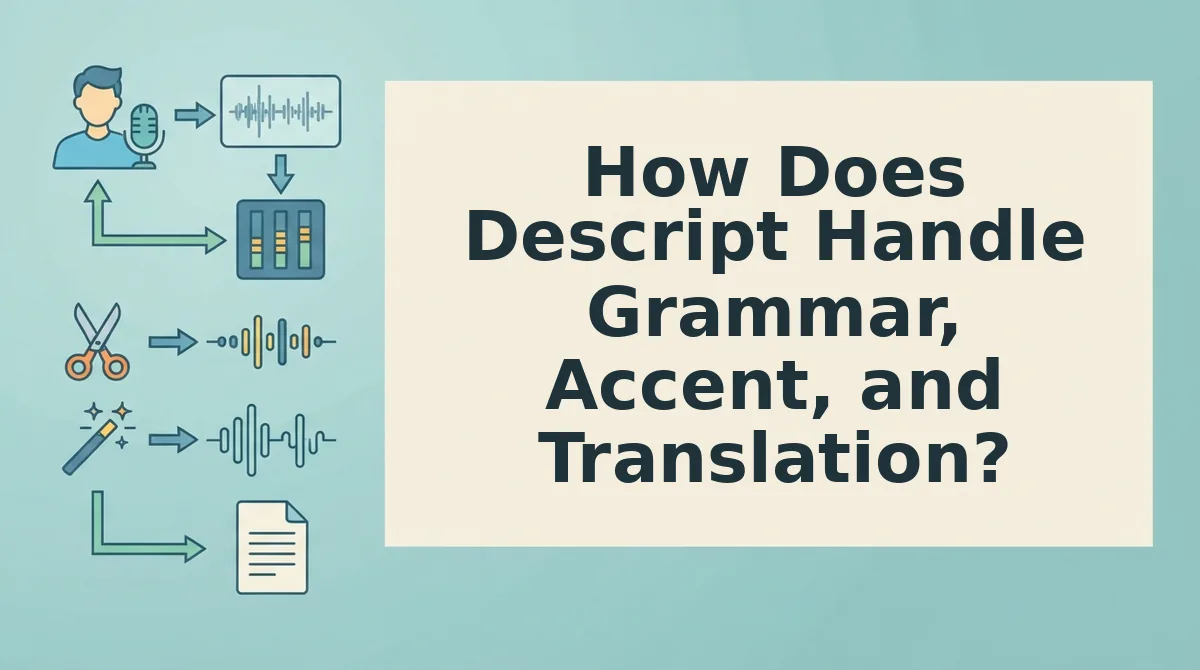
How Does Descript Handle Grammar, Accent, and Translation?
Descript handles grammar through transcript editing. You change the audio by rewriting the text, so you have to find and fix your own grammar mistakes [verify].
That text-based timeline is a real strength. It gives creators precise control over cuts, pacing, and structure. For non-native speakers, though, that control becomes a burden, because the person doing the editing is the one least able to catch second-language errors. If you missed "he don't" while speaking, you may miss it while reading too.
Here's where it gets tricky. Every edit moves your audio along an accent-safety spectrum, from fully you to fully synthetic.
| Spectrum point | Tool features | What the listener hears |
|---|---|---|
| Raw recording | Input for both tools | Your voice, with fillers, false starts, and grammar slips |
| Filler cut only | VClar filler removal; Descript filler removal [verify] | Your voice, more decisive, but grammar slips remain |
| Grammar corrected in your own voice | VClar | Your tone, accent, and rhythm, with corrected sentences |
| Synthetic voice clone | Descript AI voice regeneration, formerly Overdub [verify] | A model of your voice saying words you never spoke |
If you type new words into a Descript transcript, the audio for those words may have to be generated by its AI voice feature. That pushes the clip toward the synthetic end of the spectrum.
Does AI voice editing change your accent?
AI voice editing can change your accent, depending on the method. Cutting filler words or pauses only removes audio you already recorded, so your accent stays intact. VClar fixes spoken grammar while preserving your natural tone, accent, and rhythm. Drift happens when a tool generates new words with a voice clone, such as Descript's AI voice regeneration [verify]. Those inserted words come from a model of your voice, so their pronunciation and intonation may not match the speech around them. For non-native speakers, the safest edits are the ones that never synthesize words you did not say.
Descript's translation features should be checked against its current product pages [verify]. VClar translates cleaned voice messages across 11 languages and keeps the speaker's tone and accent.
Worked Example 3: A Freelancer's 60-Second Client Update
| Stage | VClar steps | Descript steps |
|---|---|---|
| Record | 1. Record or upload | 1. Record or import |
| Clean | 2. Automatic cleanup (fillers, grammar, noise) | 2. Run filler removal [verify] |
| Fix grammar | Included in step 2 | 3. Find errors in transcript; 4. Retype and regenerate audio [verify] |
| Translate | 3. Choose target language | 5. Translate [verify] |
| Send | 4. Export and send | 6. Export and send |
Best for VClar: non-native professionals sending async voice notes to clients. Best for Descript: creators who can confidently proofread their own transcripts.
Where VClar Falls Short and Descript Is the Better Choice
VClar is the wrong tool for long-form production. It is built for 45-90 second voice messages, not podcasts, video editing, or multitrack sessions, and Descript is the stronger choice for that work.
VClar does not try to be a timeline editor. If you need to restructure a 40-minute interview, sync B-roll, or balance several speaker tracks, Descript's transcript-driven editor is designed for that job.
YouTube comparisons support this. Creators usually weigh Descript against Riverside and CapCut, which are recording and video tools. That framing confirms Descript's strength in podcast and video post-production, not quick messaging.
| Use case | Pick | Reason |
|---|---|---|
| Quick async voice note in a second language | VClar | Filler removal, grammar fixes, and translation while keeping your voice |
| Long podcast episode | Descript | Transcript-based editing for long recordings |
| Video edit or layered session | Descript | Built for post-production timelines |
| Creator who does both | Both | Each tool handles its own job |
Best for VClar: founders, sales reps, and cross-border freelancers sending short updates. Best for Descript: podcasters and video creators producing finished episodes.
VClar vs Descript FAQ for Non-Native Speakers
These answers cover the practical questions the comparison above leaves open.
Can I use VClar and Descript together?
Yes. Use Descript for podcast episodes and video edits, and use VClar for short client or team voice notes. The two tools do different jobs, so they rarely overlap. Many creators keep Descript for production and use a separate tool for quick async messages sent in a second language.
Can I translate a voice note and still sound like me?
Yes. VClar's voice note translator keeps your tone and accent when it translates, so the listener still hears you rather than a generic synthetic voice. Descript's translation options and voice handling should be confirmed on its current product pages [verify].
Is VClar a spoken English grammar cleaner only for English?
No. VClar works across 11 languages, including Hindi, French, Japanese, Korean, German, Russian, and Portuguese. It cleans up grammar before translating, so errors in your original speech do not carry over into the translated message.
Will cleanup make my message sound scripted?
No. VClar removes hesitations, false starts, and filler words like "um" and "you know," and it preserves your natural rhythm, cadence, and accent. The result sounds like you on a confident day, not a narrator reading a script. Learn more about removing filler words from audio.
With these questions answered, here is how to choose a tool for your next message.
Which Tool Should You Use for Your Next Voice Note?
Use VClar if you want to record once and send a clean, grammatically sound voice note in your own voice. Use Descript if you want a full editor and are happy to spend time working in a timeline.
The deciding factor was never the feature list. It is how many jobs you want off your plate before you hit send.
Run this quick check on your next message:
- Grammar jobs: If you want spoken grammar fixed, fillers removed, and phrasing tightened without manual edits, VClar handles them in one pass.
- Accent spectrum: If you want to sound clearer while still sounding like yourself, pick the tool that preserves your voice, accent, and rhythm.
- Message length: Short, frequent voice notes reward one-take cleanup. Long, produced pieces justify a full editing session.
For most non-native speakers, the next voice note is the short, frequent kind.
Record your next message once and let VClar polish it. Then explore how other speakers use it for voice notes for non-native speakers. You should get a message that sounds decisive on the first listen, without another round of re-recording.
Clarity should come from cleaning up your voice, not replacing it.