
You hit record on an investor update, play it back, and wince. There's an "um" in the first line, a false start, and a sentence that trails off before the point lands, so you record it again.
That re-record loop is the problem founders sending investor updates actually need solved. A grammar checker feels like the obvious fix, which is why the question of vclar vs grammarly for spoken audio deserves a clear answer.
Your instinct makes sense. Grammar tools have cleaned up your emails and decks for years, so trusting one with your spoken words seems logical.
This guide tells you directly which tool fixes speech itself, not just the words you type about it.
You will get the verdict first. Then you will see a spoken-error matrix that shows what a text checker can and cannot reach, how each tool's workflow runs, and where each one stops being useful.
One word causes most of the confusion: voice. One tool uses it to mean your writing style, and the other uses it to mean the sound of you. That difference decides which tool belongs in your workflow.
Is VClar or Grammarly Better for Fixing Grammar in Spoken Audio?
VClar is better for spoken audio because it takes a voice message in and returns enhanced audio plus a transcript, with fillers, spoken grammar, and background noise cleaned up. Grammarly is a text-first grammar checker built for written words, so it works on text rather than on the recording itself.
A text-first grammar checker is a tool that reviews written words. It reads typed or pasted text and suggests corrections to that text. It never hears a recording, so anything that exists only as sound is outside its reach.
The criteria below compare both tools on what a spoken message actually needs.
| Criteria | VClar | Grammarly |
|---|---|---|
| Input type | Recorded voice message or uploaded raw audio | Written text |
| Output | Enhanced audio plus a transcript | Revised written text |
| Verbal fillers ("um," "ah," "like," "you know") | Detected and cut from the audio timeline | Can only address fillers that appear in text you supply. The recording stays unchanged. |
| Spoken grammar | Corrected and tightened in the spoken message | Focused on grammar in written text |
| Background noise, breath sounds, mouth clicks | Reduced in the audio | Not applicable, because noise never appears in text |
| Translation | 11 languages across 110 translation directions | Outside its text-first scope as described here |
| Voice preservation | Keeps your natural tone, accent, and rhythm | Not applicable, because it produces no audio |
Grammarly's strength is real. For emails, documents, and anything you write by hand, a text-first checker is the right tool. VClar doesn't try to replace it there.
The split shows up the moment the message is audio. If you transcribe a voice note and fix the text, the recording still contains every stumble. To remove filler words from audio, the tool has to edit the sound itself. VClar does that while keeping the voice recognizably yours.
If your team works across borders, VClar can also translate the cleaned message into another language. You can send one take in Hindi, Japanese, or German without re-recording it.
- Best for VClar: founders recording investor updates, sales reps sending voice follow-ups, and cross-border operators who think faster than they type and want to send one clean take.
- Best for Grammarly: writers, marketers, and anyone whose final deliverable is written text, such as emails, reports, and documents.
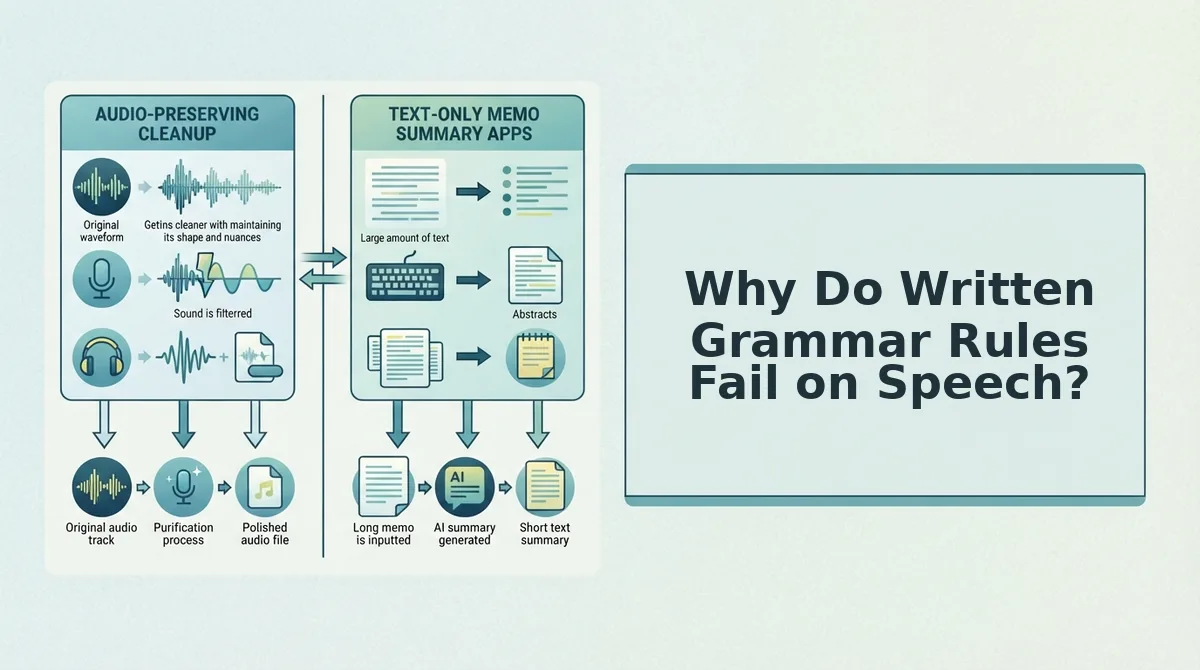
Why Do Written Grammar Rules Fail on Speech?
Written grammar rules assume a finished, edited sentence, but people build speech in real time. Spoken grammar is the set of patterns people use when they compose aloud. It includes fillers, false starts, fragments, and phrasing that loops back on itself, and much of it never reaches a transcript.
Spoken and written grammar differ because you compose speech while you talk, with no draft and no delete key. A verbal filler is a sound or word like "um," "ah," "like," or "you know" that holds your place while you think. A false start is a sentence you begin, abandon, and restart, as in "We should... actually, the plan is to ship Friday." Both are normal parts of thinking aloud, not signs of a weak message, yet written grammar treats every sentence as already finished, polished, and complete.
The Spoken-Error Matrix
Each error below shows up differently in audio and in a transcript. This decides which tool can actually fix it.
| Error type | Example | Where it can be fixed |
|---|---|---|
| Verbal fillers | "So, um, basically..." | Both: deleting them from text leaves them in the audio |
| False starts | "We need, I mean, the deck is..." | Both: the abandoned start stays audible unless the audio is edited |
| Sentence fragments | "Revenue up. Hiring next." | Text checker can address in the transcript |
| Circular phrasing | Restating the same point three ways | Both: text can flag it, but tightening the spoken version needs audio processing |
| Acoustic noise | Breath sounds, mouth clicks, car or street sound | Needs audio processing only |
The last row matters most. Acoustic noise never appears in a transcript, so a text-first checker cannot see it at all.
Think of a transcript like a photo of a concert. It shows who was on stage, but you can't hear the feedback squeal in a photograph.
This shapes the workflow. With a text-only approach, you transcribe the message, fix the text in a checker, and then re-record yourself reading the corrected version, which puts you back in the loop. With audio processing, you record once and get cleaned audio plus a transcript.
That gap points to a deeper split in what each tool means by one word.
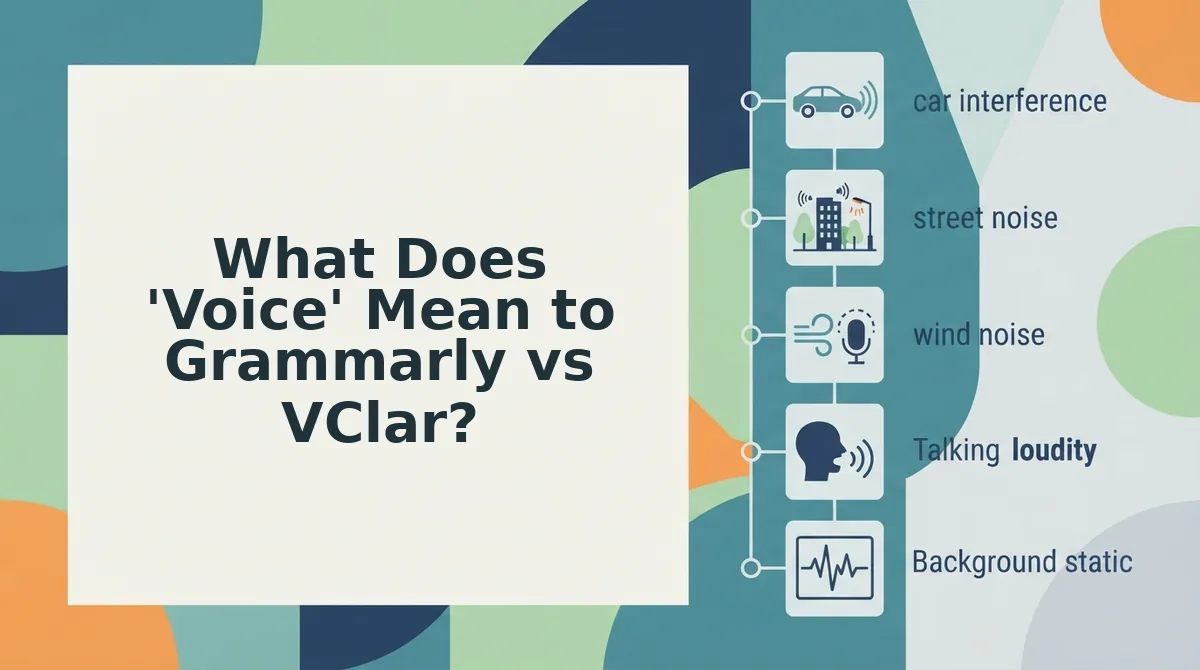
What Does 'Voice' Mean to Grammarly vs VClar?
To Grammarly, "voice" means your writing style. To VClar, "voice" means the actual sound of the person speaking. These Two Voices explain why the tools solve different problems.
Grammarly's branding leans on the word. Its YouTube titles include "Your Credibility Is in Your Voice" and "Sounds True to You." These are marketing language about written tone, not evidence of audio features.
- What "voice" refers to. In Grammarly's usage, voice is word choice, formality, and tone on the page. In VClar's usage, it is your timbre, accent, and cadence. Before you compare features, check which meaning a product page is using.
- What gets edited. Grammarly edits sentences you have already typed or pasted. VClar edits the recording itself and removes fillers, false starts, and acoustic distractions. If your raw material is audio, you need a tool that works on audio.
- What stays intact. Grammarly keeps your intended writing style while it fixes errors. VClar keeps your timbre, accent, and cadence and does no synthetic cloning. Choose VClar when listeners need to hear the real you.
- What you get back. Grammarly returns corrected text. VClar returns enhanced audio plus a transcript. Match the output to what your recipient will actually open.
- What searchers expect. People who search "grammarly for voice" often expect audio editing, which a text tool is not designed to do. If that describes you, read the full VClar vs Grammarly for spoken audio breakdown before you commit.
Can Grammarly Edit a Voice Recording? The Transcribe-and-Paste Workaround
No. Grammarly cannot edit a voice recording directly, because it works on text. To use it on speech, you first turn the audio into a transcript, then correct the text, and the result is still text rather than a polished recording.
Grammarly's scope is text-first, so it never "hears" your voice message. Audio has to pass through a separate transcription step before Grammarly can see any words. Once the transcript is pasted in, Grammarly can flag grammar, clarity, and tone issues in the written sentences. The corrected output is text, though, and the original recording stays exactly as it was, with every "um," false start, and background sound still in it. If you want a corrected voice message, you have to re-record it yourself or send text instead. That makes Grammarly a text workflow attached to audio, not an audio editor.
Prerequisites: a recorded voice message, a transcription tool, and Grammarly in its editor or in a supported app. For the VClar path, you only need the recording.
The Grammarly path: 5 steps
- Record your voice message on your phone or computer. You now have a raw audio file.
- Transcribe the audio with a separate speech-to-text tool. You should see a raw transcript that still contains your fillers.
- Paste the transcript into the Grammarly editor or an app where Grammarly is active. Underlined suggestions should appear.
- Edit the text by accepting or rejecting each suggestion. You now have clean text, but the audio is unchanged.
- Re-record the message from the corrected script, or send the text instead of audio.
The VClar path: 3 steps
- Record or upload your spontaneous message in VClar.
- Clean it so VClar removes fillers, fixes spoken grammar, and reduces noise.
- Send the enhanced audio plus its transcript.
Worked example: an enterprise follow-up recorded in the car
A B2B sales rep finishes a call with an enterprise buyer and records a follow-up from the driver's seat, with road noise in the background.
- Grammarly path: records the memo, runs it through a transcription app, pastes the transcript into Grammarly, accepts edits, then re-records the script in the parked car or emails the text.
- VClar path: records the memo, runs Clean in VClar, then sends the audio and transcript to the buyer.
Car background noise is an acoustic error that a transcript cannot show, so no text correction will ever remove it. If your goal is to fix grammar in a voice message and keep it as a voice message, the 3-step path is the workflow designed for it. Compare both tools side by side in our VClar vs Grammarly for spoken audio guide.
What Does VClar Fix in a Voice Message, and Does It Change Your Accent?
VClar fixes filler words, spoken grammar, loose phrasing, and acoustic distractions, and it does not change your accent. It preserves your natural tone, accent, and rhythm while it cleans the message.
- Removes filler words. VClar detects ums, ahs, "like," "basically," "you know," and repeated false starts, then cleans the audio timeline seamlessly. Record naturally and let VClar make the message sound decisive.
- Fixes spoken grammar. VClar corrects the grammar slips that happen when you think out loud. You get one-take confidence without re-recording loops.
- Tightens phrasing. VClar trims rambling sentences into direct statements. This keeps busy listeners focused on your point.
- Reduces background noise. VClar lowers ambient sound such as traffic or office chatter. Record where you are instead of hunting for a quiet room.
- Reduces breath sounds. VClar softens audible breathing between phrases. Your message sounds composed instead of rushed.
- Reduces mouth clicks. VClar minimizes the small clicks that close-range phone mics pick up. Listeners hear your words, not your microphone.
- Preserves tone, accent, and rhythm. VClar keeps your timbre, accent, and personal cadence and does no synthetic cloning. Your recipient still hears you.
- Returns enhanced audio plus a transcript. Every cleaned message comes with both formats. Send audio to people who prefer listening and the transcript to those who skim.
Translation for Non-Native Speakers and Cross-Border Teams
VClar translates cleaned voice messages across 11 languages: Hindi, English, French, Japanese, Korean, German, Russian, Portuguese, Spanish, Italian, and Chinese. That adds up to 110 translation directions, since any of the 11 languages can be translated into any of the other 10.
For non-native speakers, this means you can speak in the language you think fastest in and still deliver a clear message to a buyer, client, or teammate abroad. Your accent and cadence carry through, so the message sounds authentic rather than synthetic. See every supported pair on the voice note translator page.
Grammarly, by comparison, stays focused on text. That scope has real strengths, though, which the next section covers.
When Is Grammarly the Right Choice, and Where Does VClar Fall Short?
Grammarly is the right choice whenever your message leaves as text, such as documents, emails, chat replies, and reports. VClar is built for messages that leave as audio, and it has clear limits outside that job.
Grammarly's strength is written polish. It flags spelling, punctuation, and sentence-level issues in prose, with suggestions designed for readers. If you never send voice notes, VClar adds nothing to your workflow, and Grammarly is the tool to keep.
| Criteria | Grammarly | VClar |
|---|---|---|
| Input | Typed or pasted text | Recorded or uploaded voice messages |
| Output | Corrected written text | Cleaned audio in your own voice, plus a transcript |
| What it fixes | Written grammar, spelling, punctuation, clarity | Filler words, false starts, spoken grammar, loose phrasing, background noise, breath sounds, mouth clicks |
| Voice and accent | Not applicable, because it works on text | Preserves your natural tone, accent, and rhythm |
| Translation | Not its core purpose | Voice message translation across 11 languages |
| Best for | Writers, students, and teams who deliver text | Founders, sales reps, creators, and freelancers who deliver by voice |
Best for Grammarly: anyone whose final deliverable is read on a screen. Best for VClar: anyone who thinks faster than they type and wants to send a clear voice message in one take.
Where VClar Falls Short
- It does not check written documents. VClar enhances voice messages. It is not a proofreader for essays, emails, or reports.
- Translation covers 11 languages, not every language. Language support is limited to the 11 listed languages, including Hindi, English, French, Japanese, Korean, German, Russian, and Portuguese.
- It is not a timeline audio editor. There are no multitrack controls for podcast production or music mixing.
- It does not generate synthetic voices or clones. Your output is your own enhanced voice, not text-to-speech.
If you need any of those capabilities, you can compare VClar with other tools to find a better fit.
Which Tool Should You Use for Voice Messages?
Choose based on output format. If the message leaves as text, use Grammarly. If it leaves as audio, use VClar.
That rule answers the question the intro raised. Grammar quality is not the deciding factor, because both tools correct grammar. The difference is that Grammarly corrects what readers see, while VClar corrects what listeners hear, without replacing the voice they expect.
Here is how the rule applies to an independent freelancer sending a client update:
- Record the project update in one spontaneous take, without scripting it first.
- Run the recording through VClar to remove fillers and false starts, fix spoken grammar, and reduce background noise.
- Listen once and send the cleaned message in your own voice, with no re-recording loop.
If the same freelancer later writes a formal proposal, that document goes through Grammarly. Each tool covers the format it was built for.
Your next step is to read the full VClar vs Grammarly comparison and match each tool to the messages you send most. Once that is settled, a voice note becomes a deliverable you can send with confidence.