
The note you record between two meetings is the one most likely to confuse a buyer on the other side of the world. You know what you meant. The machine translating it does not.
Voice is faster than typing, and a sales follow-up voice message sent from a parked car beats a polished email that never gets written. The problem is the raw audio: engine hum, three "ums," and a sentence that stops halfway through. Send that across a language boundary and every rough edge gets amplified, not smoothed out.
This guide shows how to translate a sales voice note for an overseas buyer so the buyer can follow it in their own language, at their own pace, without guessing at your numbers. You will get a five-step sequence, a pre-send readiness checklist, and a fix for the mid-sentence trail-off that ruins more translations than any accent ever does.
One warning up front: the step most reps skip happens before translation, not during it â and skipping it is why translated notes read like someone else wrote them.
The short answer: record the note, remove filler words, fix the fragments, translate it into the buyer's language, review the transcript against what you actually meant, then send. Cleaning first keeps hesitations and half-finished sentences out of the translation, so the buyer reads one clear ask instead of a transcript of you thinking out loud.
Why Translate After You Clean, Not Before
Translation should be the last step, because filler words, false starts, and sentence fragments get carried straight into the target language and make the note harder to follow, not easier. Cleaning first removes the noise that a translator would otherwise faithfully reproduce.
Most advice online teaches the receiver's side of this: the buyer taps translate in WhatsApp and reads whatever comes out. That works, and it is genuinely convenient â no extra app, no setup, instant. Descript offers frame-level timeline editing for teams that want manual control over every cut. Both are honest strengths, and neither is the sender's workflow.
| Factor | Sender-side: clean, then translate | Receiver-side: auto-translate on arrival |
|---|---|---|
| Who controls the transcript | You, before the buyer ever hears it | The buyer's app, after you have sent |
| Whether fillers survive | Removed from the audio timeline | Translated as spoken |
| Whether you can verify figures | Yes â you read the cleaned transcript first | No â you never see the output |
| Tone | Your accent and cadence preserved, phrasing tightened | Machine rendering of unedited speech |
Best for the rep quoting prices and dates: sender-side, where you can remove filler words from audio and proof the transcript before it leaves your phone. Best for a casual check-in with a contact you already know: receiver-side auto-translate is fine and costs you nothing.
That skipped step is the whole answer to the question posed earlier: reps translate raw speech and then wonder why the reply goes quiet.
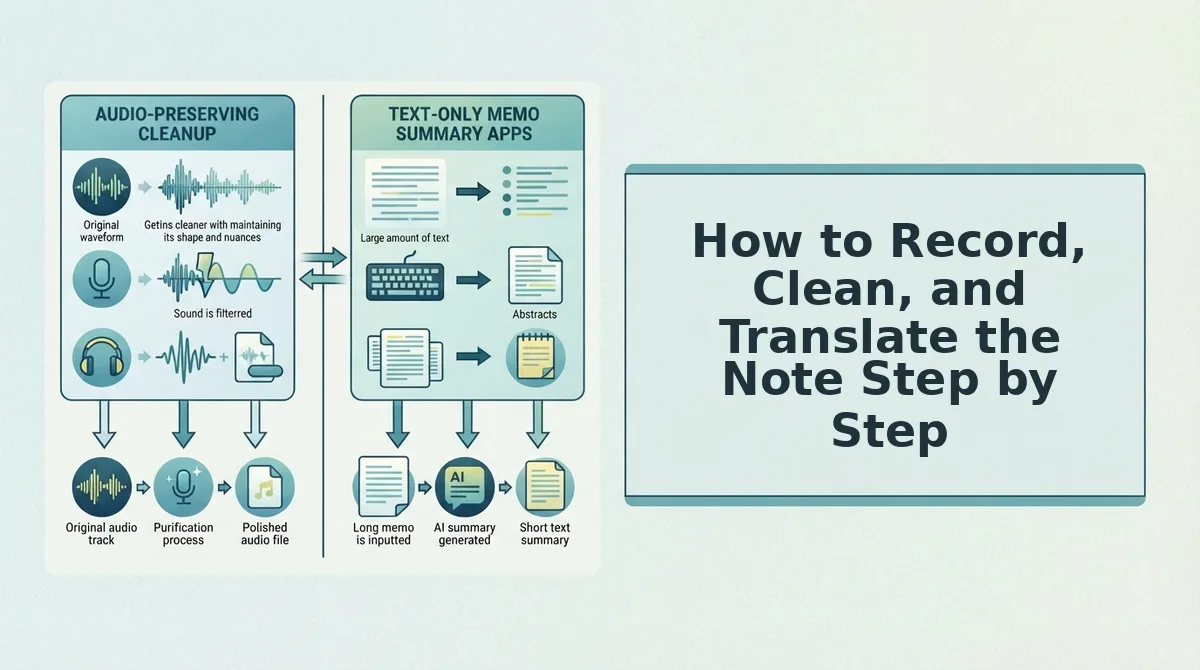
How to Record, Clean, and Translate the Note Step by Step
You need a voice recorder and a cleaning tool that outputs both audio and a transcript â VClar handles both, and a manual editor works if you are willing to cut by hand. Budget about four minutes for a sixty-second note.
- Record a note that is ready to translate (60â90 seconds). Keep it to 45â90 seconds with exactly one ask per note. Before you hit stop, run the five checks below. Success looks like: a single continuous take with one question in it.
- Remove fillers and fix fragments (about 60 seconds). Upload or process the recording, then let the engine strip "um," "ah," "like," "basically," "you know," and repeated false starts. It also reduces background noise, breath sounds, and mouth clicks while keeping your natural voice, accent, and rhythm. Success looks like: a playback where you never hear yourself hesitate.
- Translate into the buyer's language (under a minute). Select the target language and confirm the direction. VClar covers 11 languages â Hindi, English, French, Japanese, Korean, German, Russian, Portuguese, Spanish, Italian, and Chinese â across 110 translation directions. Your tone, accent, and cadence carry over; nothing is replaced by a synthetic clone. Success looks like: a translated transcript whose first line still sounds like something you would say.
| Readiness check | What it looks like | Why it matters |
|---|---|---|
| One ask per note | One question, one next step | Two asks split into two weak translations |
| Complete sentences | Subject, verb, object | Fragments translate into nonsense |
| Names, numbers, dates spoken clearly | "Thursday the twelfth," not "the twelfth-ish" | Vague terms stay vague abroad |
| No idioms or slang | Plain phrasing | Idioms rarely survive a language hop |
| Quiet-enough recording | Windows up, phone near your mouth | Noise reduction has limits |
How to Fix a Note That Trails Off Mid-Thought
A sentence that stops halfway produces a translation with no subject or no verb, and the buyer fills the gap with a guess â usually the wrong one. That is why grammar correction should run before translation, not after. Take the car note: "So if we can get the contract over by Thursday, then we could probably â" ends mid-clause, and a translator has nothing to finish. Grammar correction completes the sentence to "If we can get the contract over by Thursday, we can start onboarding the following Monday," and only then does translation have a full thought to work with. One clean pass on the grammar in a voice message fixes the trail-off without a re-record.
The fix is simpler than re-recording. And if you are weighing manual cutting against automatic cleanup, the comparison with timeline editing lays out the trade-off, while the full list of supported pairs sits on the voice note translator languages page.
Recording, cleaning, and translating take three passes. Confirming that the translated note says what you meant takes one more, and it is the pass that protects the deal.
Here is how to check the translation before you send it.
How to Check the Translation Before You Send
To review your edits before sending, compare the original and cleaned transcripts side by side. Then check the translated transcript against a risk matrix. Verify every price and quantity, confirm that product names are spelled correctly, and listen once for tone. For a 45â90 second note, this pass takes about two to four minutes. It matters because the buyer only sees or hears the translated version, so a wrong figure or name reaches them with no live chance to clarify.
What you need: your original recording, VClar's cleaned and translated output, and your quote or price sheet open in another window.
- Compare the original and cleaned transcripts side by side (1â2 minutes). Read them line by line. Confirm that each edit only removed fillers or completed a fragment, and never changed your meaning. Then apply the risk matrix below to the translated transcript. When you finish, no figure, name, or commitment should differ from your source.
- Decide what format to send (30 seconds).
- Send audio only for relationship check-ins.
- Send the transcript only if the buyer prefers to read.
- Send audio plus transcript whenever the note includes prices, quantities, or dates.
| Risk level | Content | Check |
|---|---|---|
| High | Pricing and quantities | Verify every figure against your quote |
| Medium | Product names | Verify the spelling in the translated transcript |
| Lower | Tone | Listen to the full note once |
Worked example: A rep is following up on a pricing quote. They check every unit price, discount, and volume in the translated transcript against the quote. Then they send audio plus transcript, so the buyer has written figures to forward internally.
Frequently Asked Questions
These answers cover the questions sales teams ask most often before sending a translated voice note to an overseas buyer.
Will the buyer hear a synthetic voice?
No. VClar works from your own recording, so the buyer hears your tone, accent, and rhythm instead of a synthetic text-to-speech clone. It removes fillers, fixes spoken grammar, and reduces background noise, breath sounds, and mouth clicks. Your natural delivery stays intact.
Can I translate a WhatsApp voice note before sending it?
Yes. Record the note, clean and translate it in VClar, and then share the finished audio or transcript in WhatsApp. Most tutorials cover the receiver's side. This approach works the other way, so your buyer gets a polished note in their own language. Learn how to translate WhatsApp voice notes.
What should a native speaker still check?
A native speaker should check idioms, formality, and high-stakes figures. Sales idioms often don't carry over literally. Some languages, such as Japanese and Korean, expect a specific politeness level with buyers. For contracts or large quotes, a second reader is worth the short delay.
Is a transcript enough without audio?
It depends on the deal stage and the buyer's preference. Early relationship notes benefit from audio, because hearing your voice builds trust. Later stages that involve pricing, specs, or dates need a written transcript the buyer can forward. If you're unsure, ask the buyer once, and send both until you know.
Send Your Next Follow-Up in the Buyer's Language
A reliable cross-border follow-up comes down to one rule: clean first, translate last, and review before you send. This order is why translating last beats translating raw audio. The buyer receives your intent, not your hesitations carried into another language.
The real payoff is one-take confidence. You record once, verify the figures, and move on. Pick the follow-up you keep re-recording, such as that pricing note, and run it through VClar's AI voice message translator. Your next overseas buyer will hear exactly what you meant, in your voice and in their language.
You can also translate a voice message.