
Ninety seconds of talking. Then a blank project timeline. That is the moment the question lands: is an editing suite overkill for one voice message?
Usually, yes. An editing suite is a timeline-based program that edits a saved project and renders it back into a file. A cleanup pass edits the message itself â fillers out, spoken grammar corrected, background noise reduced â and hands back audio you can send.
The pull toward the timeline is understandable. Raw memos arrive carrying ums, dead pauses, and tangled sentences, and the fastest fix feels like re-recording. Open a suite instead and you have traded a re-record loop for a project loop.
What follows is a frequency test you can apply in under a minute, a decision matrix by output type, and the honest case for when a full editor genuinely wins. There is a counterintuitive part: the setup cost of a timeline is not measured in minutes at all, and reframing it that way changes how you count it â covered below.
Start with the common case. Founders sending investor updates record one memo, not a multi-take episode. The timeline becomes scaffolding around a single clip.
Does One Voice Message Justify a Full Editing Suite?
A single voice message rarely justifies a full editing suite. One clip, one destination, one send â a timeline's value is assembling many takes, layers, or visuals, and a 90-second memo contains none of them. Run the frequency test below before you open a project.
The frequency test: count the voice messages you send per week, then ask whether the work requires multitrack mixing, a music bed, or video. One-and-done messages fail the test. Recurring production with layered audio passes it.
A voice message cleaner and an audio editor solve different problems. A cleaner treats the message as the deliverable: it strips filler words, corrects spoken grammar, reduces background noise and mouth clicks, and returns a file you can send. An audio editor treats a project as the deliverable â tracks, clips, effects, and a render step before anything becomes a message again. If your output is a message, a cleaner matches the shape of the work. If your output is an episode, a video, or a mixed track, the editor does. Neither replaces the other; they answer different questions about what you are shipping.
| What you send | How often | Right tool | Best for |
|---|---|---|---|
| A few messages a week, text-only output | Occasional | Cleanup pass | Founders, freelancers, sales follow-ups |
| A few messages a week with a music bed or video | Occasional, layered | Timeline editor | Creators syncing clips to visuals |
| Daily or weekly shows with multiple takes | Recurring | Full editing suite | Podcasters, video teams, producers |
A full editor is worth it when the deliverable is an arrangement rather than a message: multi-take interviews, episodes with intro music, clips cut to camera. Descript earns its setup for transcript-based editing across takes, and timeline editors such as Audacity or Adobe Audition are the correct tool for precise multitrack mixing. Both beat any cleanup pass at anything layered.
The honest limit runs the other way too: a cleanup pass cannot cut takes, add a music bed, or edit video. If your work needs those, a suite is not overkill â it is the job.
VClar covers the cleanup side of that table: filler removal, spoken grammar correction, and noise reduction, plus translation across 11 languages, with no project file involved.
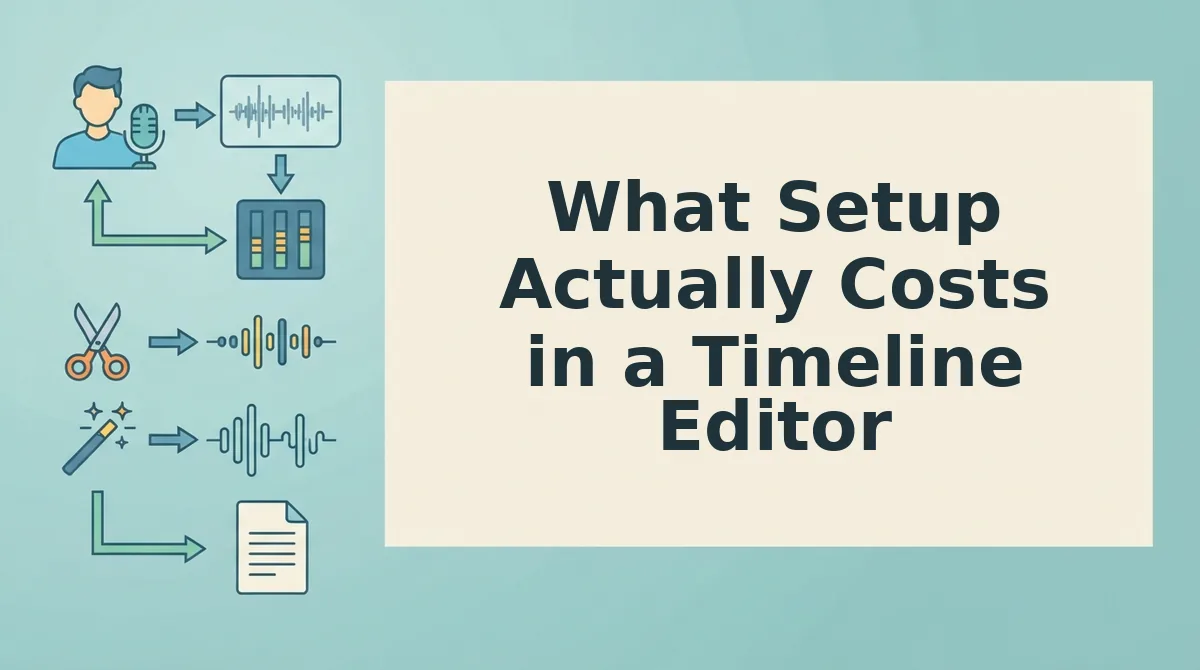
What Setup Actually Costs in a Timeline Editor
Setup cost is a sequence of obligations, not a stopwatch reading. Six steps stand between the recording and a sendable file, because the suite edits a project rather than a message.
- Create a new project. The suite demands a container before it accepts audio, so your message becomes a document with a name, a save location, and a state to maintain.
- Import the file. The recording enters a media pool before anything can be viewed, separating the source audio from the thing you are editing.
- Place the clip on a track. Audio sits on a timeline lane, which is what makes mixing possible and what makes one memo look like a fragment of an arrangement.
- Run a noise pass. Cleanup is an effect applied to the clip, so removing breaths and room tone is a decision you configure rather than a default.
- Export. Nothing leaves a project without a render, the step that converts an edit back into a file you can send.
- Re-export after any fix. A wrong word reopens the project rather than the message, so one correction restarts the render â the cost tutorials never teach.
Count steps rather than minutes, and the decision narrows to one question: when does a full editing suite actually earn them?
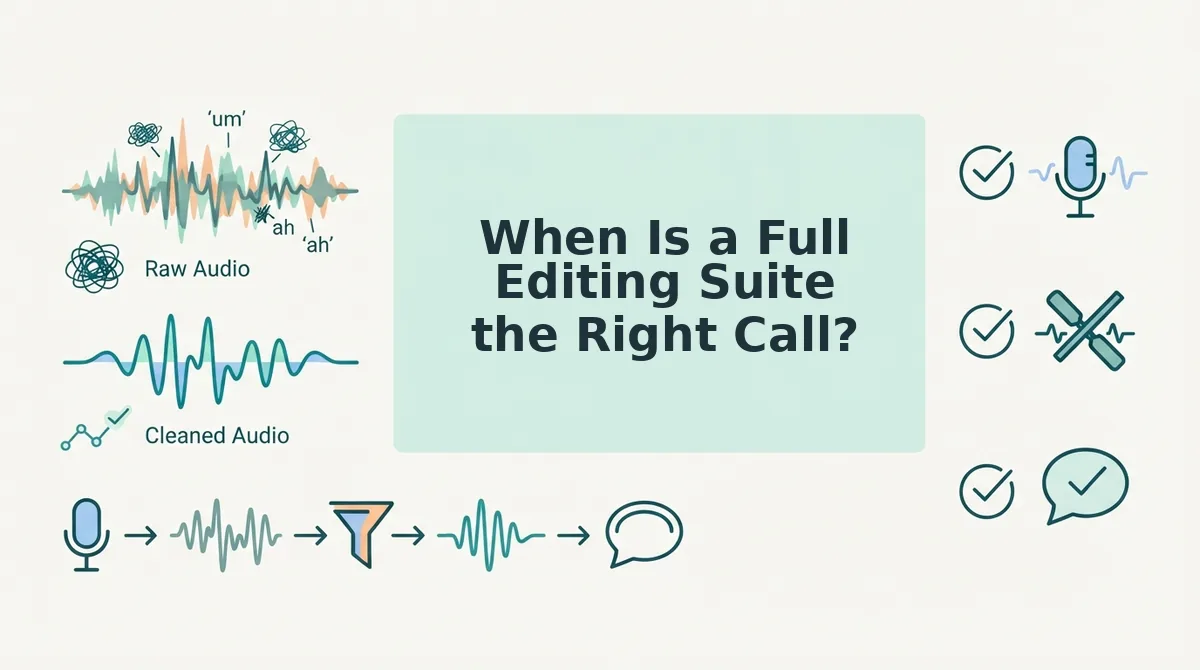
When Is a Full Editing Suite the Right Call?
A full editing suite is software built to assemble a multi-track project and render it into a finished file. It earns its setup when the deliverable is that project rather than one spoken message.
The test scales with complexity. At the simple end, a single follow-up note fails it: a sales rep who records one recap after a call needs a cleanup pass, not an episode. One take, one recipient, done.
Intermediate cases pass on layers. A message with a music bed, an intro sting, or a second speaker needs tracks stacked in time â multitrack assembly, which is exactly what a DAW is for. A DAW, or digital audio workstation, is an application that records and mixes separate tracks side by side. That is a different job from cleaning one spoken message.
At the advanced end, recurring production settles it. A weekly cadence with layered audio is the clearest case where the setup stops being overhead and starts being infrastructure â the difference between a workbench you build once and use every day and a jig you machine for a single cut. Think of it like owning a workshop: worth the bench, the vise, and the wall space only if you keep building.
This is where Descript and similar suites genuinely win: when the deliverable is a project, not a message. So the reader question â is Descript for short voice messages worth it? â resolves to a decision rule rather than a feature checklist. If you are weighing the two paths directly, see VClar vs Descript for voice messages. If you send one note and want it clean, that is a cleanup job, not a session.
How Do You Clean One Voice Message Without a Project File?
You clean a single voice message in one pass: upload the recording, strip fillers, repair spoken grammar, reduce noise and mouth clicks, then export. No project file is created, so nothing has to be saved, reopened, or rendered back into a message.
You need the raw recording and a browser. Nothing to install, no track to arm, no clip to place.
- Upload the recording. Open vclar.com, drag in your audio file or record directly, and confirm the upload completes. You should see your message loaded and ready for a pass.
- Remove fillers. Run the filler word removal pass. Success looks like the ums, ahs, "like," "basically," and false starts gone, with the audio timeline closed up so no gaps remain.
- Fix spoken grammar. Apply spoken grammar repair to the same file. Expect tangled sentences to land cleanly while your meaning stays put.
- Reduce noise. Turn on noise and click reduction so room hum, breath sounds, and mouth clicks sit below the voice instead of competing with it.
- Export. Download the cleaned audio as one file. You should have something you can send immediately, with nothing left to render.
Verification is a single listen, not a mix review. Play the exported file once at normal speed with headphones: confirm the fillers are gone, the sentences land where they should, and the delivery still sounds like the sender â tone, accent, and rhythm intact. If any of that fails, the pass over-corrected or under-corrected, and you run it again. That listen is the honest limit of a cleanup pass: it fixes the message, not the performance.
The workflow holds up because there is only ever one artifact â the message itself. That is why a single note never needs a project file, and why the same five steps work whether you send one update a month or five a day.
Run the Frequency Test on Your Next Voice Message
The reframe worth keeping: a suite edits a project, a cleanup pass edits a message. Count the messages you send in a week, check whether the output needs layers, music, or video, and pick the smaller tool that actually finishes the job.
Picture the worked example. A freelancer sending a client update records once â scope, status, next step â and ships it after a single cleanup pass. No new project, no import, no render. The client hears a clear update in the sender's own voice, and the freelancer never left the browser tab.
So take the small step first: clean a voice memo online and listen to it once with headphones. When the pass holds up, move to the real thing and run one cleanup pass on the note you were about to re-record.
The next message you send is the only test that settles it â and once it passes, you will stop budgeting part of an afternoon for a forty-second note.
You can also remove fillers from a recording.