
Do you know what your translated voice note actually says? You speak in one take, and the tool returns polished wording in a language you may not read fluently. That gap is why you should review translated voice note transcript side by side before the message reaches a client or investor.
You think faster than you type, so voice feels natural. However, raw memos carry fillers, awkward pauses, and disjointed grammar. Most translation tools stop at the output and leave the checking to you.
This guide gives you a four-step review that places the original, repaired, and translated wording next to each other. Before you start, you need three things: a recorded voice note, a target language, and a few minutes to review.
Picture a founder who records an investor update in Hindi and sends it in English. This is a common workflow in voice notes for founders. Before sharing, the founder opens the side-by-side view and reads all three versions.
One type of edit always deserves a double-check, even when the translation reads perfectly. This guide shows you which one.
Key Takeaway: Open the side-by-side view and read the original transcription next to the repaired and translated wording. Accept removed fillers at a glance. Verify every name, number, date, and commitment line by line before sending.
How Can I Compare My Original Voice Note With the Translated Version?
To compare them, place the original transcription, the repaired (cleaned) wording, and the translation next to each other. Then read them in that order. Each version comes from the one before it, so reading in sequence shows you exactly where the meaning could have shifted.
A side-by-side transcript review is a check that lines up every version of your message so you can trace each change back to what you actually said. Think of it like proofreading a document with tracked changes. You see the draft, the edits, and the final copy at once, so nothing slips past you.
The 3-Layer Review
- Original: Confirm the transcription matches what you actually said, including names and figures.
- Repaired: Check the removed fillers, fixed spoken grammar, and tightened phrasing. Restructured sentences should keep your intent.
- Translated: Read the target-language wording against the repaired layer and confirm that every fact carried over.
Callout: Verify the repair before you trust the translation. The translation inherits any restructuring made in the repaired layer. A softened commitment or a reordered clause in Layer 2 will appear faithfully in Layer 3, so the translation can look accurate while carrying a changed meaning.
Why does review order matter more than translation quality? Popular WhatsApp tutorials, such as the translation how-to from Fix369, show you how to translate a message but not how to verify it. A translation engine works from the text it receives. If a cleanup step turned "we might ship Friday" into "we ship Friday," the translation will repeat that firmer promise in fluent, convincing language. Checking the repaired layer first catches the change at its source.
To see what the repaired layer typically changes, review how VClar can fix grammar in voice messages while keeping your natural tone and cadence.
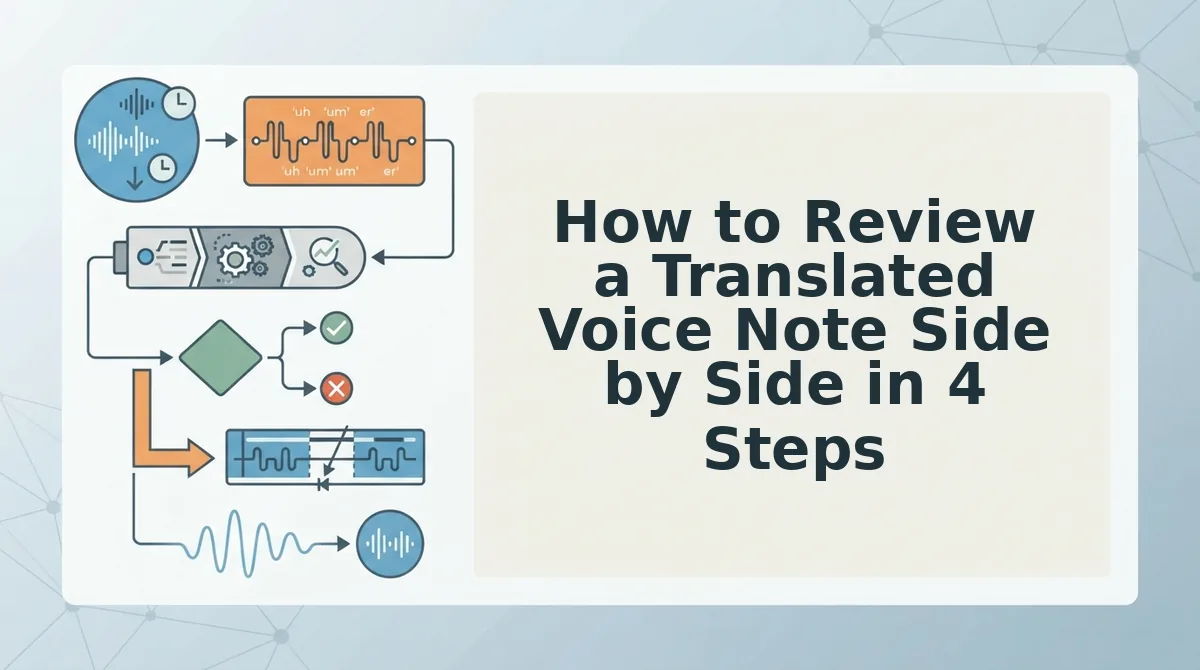
How to Review a Translated Voice Note Side by Side in 4 Steps
Run the review in this order, which takes most short voice notes about three to five minutes:
- Record or upload the voice note and choose the target language.
- Scan and accept the removed fillers.
- Check each restructured sentence against the original.
- Read the translation against the repaired source.
Prerequisites: You need a recorded voice note, a target language, and the side-by-side enhancement view in VClar.
Step 1: Record or Upload Your Voice Note and Choose a Target Language
Record your message in one take or upload existing audio. Next, select your target language from the 11 supported options: Hindi, English, French, Japanese, Korean, German, Russian, Portuguese, Spanish, Italian, and Chinese. That gives you 110 translation directions. Time: under 1 minute. When this step works, the side-by-side enhancement view shows your original, repaired, and translated text.
Step 2: Scan the Removed Fillers
Skim the ums, ahs, "like," "basically," and false starts that were cut. You can accept these at a glance because they carry no meaning. Learn more about how VClar can remove filler words from audio. Reductions in background noise, breath sounds, and mouth clicks are audio-only changes, so they have no wording to verify. Time: about 30 seconds.
Step 3: Check Each Restructured Sentence Against the Original
Read every rewritten sentence next to its source line. Then confirm that your intent, your level of certainty, and any commitments stayed the same. This is the edit type that always deserves a double-check. Time: 1â2 minutes. When this step works, every repaired sentence says what you meant, only more clearly.
Step 4: Read the Translation Against the Repaired Source
Compare the translated wording with the repaired layer, not with your memory of what you said. Then verify every name, number, and date line by line. Learn more about VClar as a voice note translator in 11 languages. Time: 1â2 minutes.
Consider a B2B sales rep following up with an enterprise buyer. The rep records a voice note that quotes a pricing figure, then sends it in the buyer's language. Before sending, the rep traces that figure from the original transcription through the repaired layer to the translation.
If the re-record loop slows your follow-ups, run this review on your next voice note. Record once, let VClar clean and translate it, and check all three layers before you send.
Next, confirm that the translation worked before you hit send.

How to Check the Translation Worked Before You Send
To check the translation, sort every change into two groups. Accept cosmetic cleanup at a glance, and verify every meaning-bearing detail line by line, because negations and commitments can flip meaning while still reading fluently.
| Accept at a glance | Verify line by line |
|---|---|
| Removed fillers (um, ah, "like," "you know") | Names of people, clients, and products |
| Shortened pauses and false starts | Numbers, prices, and quantities |
| Tightened phrasing | Dates and deadlines |
| Background noise, breath, and click removal | Commitments ("I will," "we can") and negations ("not," "no longer") |
| Best for: quick team check-ins where tone matters more than detail | Best for: client updates, sales follow-ups, and any message with a deadline or promise |
The accept vs. verify triage rule sorts every change in a translated voice note by risk. Fillers, pauses, false starts, tightened phrasing, and noise removal are always safe to accept, because they change how a message sounds, not what it says. Names, numbers, dates, commitments, and negations need a line-by-line check against the original. A single dropped "not" or a shifted date can reverse the message while the translation still reads smoothly. Spend seconds on the first group and save your real attention for the second.
A few review habits are easy to fall into:
- Reading only the translated output. Without the original and repaired layers beside it, you have nothing to compare against.
- Skimming past negations. Short words like "not" and "won't" carry the most meaning per letter.
- Over-editing natural phrasing. VClar deliberately preserves your tone, accent, and rhythm, so smoothing every quirk works against that goal.
Timeline editors like Descript are strong choices for podcasters and video creators who need fine control over long recordings. This check works without timeline editing. You simply read the layers side by side, which suits short voice updates.
For example, a freelancer records a client update saying the revised logo files arrive Friday, not Thursday. Before sending the French version, she confirms that "revised logo files," "Friday," and "not Thursday" read the same in the original, repaired, and translated layers. Then she sends it.
Translated Voice Note Review FAQ
These answers cover the questions people most often ask after their first side-by-side review.
Does cleaning my voice note change my voice or accent?
No. VClar preserves your natural tone, accent, and rhythm. Nothing is replaced with a synthetic voice. Cleanup removes fillers, false starts, and background noise so the message sounds like you on a clear, confident take.
Which languages can I translate a voice note into?
VClar supports 11 languages and 110 translation directions, including Hindi, English, French, Japanese, Korean, German, Russian, and Portuguese. You can see the full list on the voice note translator in 11 languages page.
What should I do if a line in the translation looks wrong?
Trace the line back to the repaired layer first, then to the original. If the original itself was unclear, re-record only that point instead of the whole message.
Why can a translation read fluently but mean something different?
Fluency measures how natural a sentence sounds, not whether it is accurate. A missing negation or a shifted date still produces a smooth sentence, which is why those details need a line-by-line check.
Record Once, Review Side by Side, Then Send
Side-by-side review lets you trust a translated message you can't fully read yourself. It works because the riskiest errors hide in fluent sentences: a dropped negation or a changed commitment.
- Review in layer order: original, then repaired, then translated.
- Accept fillers, pauses, and noise removal quickly.
- Verify names, numbers, dates, commitments, and negations line by line.
That split ends the re-record loop, so one take becomes the message you send. Record your next update once and review it side by side, then send it in any language with confidence.