
Use VClar to clean and translate a voice message you already recorded, because it keeps your timbre, accent, and cadence. Consider ElevenLabs when you need generated or cloned speech, or a language outside VClar's 11. That is the short verdict on vclar vs elevenlabs for voice message translation, and the rest of this guide explains the reasoning.
The usual situation looks like this. You recorded a clear thought in one take, and then you remember that your listener speaks another language. You could re-record it, type it out, or paste it into a translator and lose the sound of your own voice. Each of those options costs time you meant to save.
This guide compares the two tools on the criteria that matter for personal messages:
- Whose voice the listener hears
- What input each tool expects
- Whether filler words and spoken grammar get cleaned
- Language coverage
- Which jobs each tool fits best
As an AI voice message translator, VClar removes filler words, fixes spoken grammar, and reduces background noise, breath sounds, and mouth clicks. It then translates the message while preserving your tone, accent, and rhythm.
One question about voice ownership settles most cases, and section 5 answers it directly.
How Do VClar and ElevenLabs Compare for Voice Message Translation?
VClar enhances and translates a real recording, so your listener hears your own voice, cleaned up and in their language. ElevenLabs generates synthetic speech from text, from a cloned voice, or from source audio. Choose based on whether the message has to sound like you, not on which tool has more features.
Four terms explain the difference between the two tools:
- Text-to-speech (TTS): the tool turns written text into a generated voice.
- Voice cloning: the tool builds a synthetic model of a voice from samples and uses it to produce new speech.
- Voice conversion: the tool reshapes existing audio so it sounds like a different voice. The conversion vs TTS framing comes from Aeris Vale's RVC vs ElevenLabs video.
- Voice enhancement: the tool cleans and tightens a real recording without replacing the speaker.
| Criterion | VClar | ElevenLabs |
|---|---|---|
| Input | Your own recording | Script or source audio [verify] |
| Output voice | Your own voice, with tone, accent, and rhythm preserved | Generated or cloned voice. AI Shot Studio's "ElevenLabs v4 vs v3" video describes its focus as cloned and emotional synthetic speech. |
| Filler and grammar cleanup | Yes: removes fillers, fixes spoken grammar, reduces noise | Not documented [verify] |
| Language coverage | 11 languages, 110 directions | 90+ languages for Realtime Translation, according to a video by ElevenLabs Tools Learning that dates the announcement to October 21, 2026 [verify against ElevenLabs official docs] |
| Live use | Built for recorded, async messages | Realtime Translation, per the same video [verify] |
| Best for | Founders, sales reps, and freelancers sending personal voice notes | Creators and studios producing narration, dubbing, or cloned-voice content |
Does a larger language count make ElevenLabs the better choice? Not automatically, because coverage only matters for the languages you actually use. VClar supports 11 languages and 110 translation directions, which covers many common cross-border pairs. ElevenLabs Realtime Translation reportedly supports 90+ languages, although that figure comes from a single YouTube video and has not been confirmed in official documentation. If both of your languages appear in VClar's list, the deciding question is whether your listener should hear your real voice or a synthetic one. If your language pair falls outside the 11, ElevenLabs may be the practical option.
Here is how that plays out in practice. Say a founder records an investor update in English and needs it in Spanish. Following VClar's voice notes for founders workflow, the founder would:
- Clean the recording.
- Translate it.
The founder never has to write a script. Before you start, check the 11 supported languages and 110 directions to confirm your pair is covered.
How Does VClar Translate a Voice Message You Recorded?
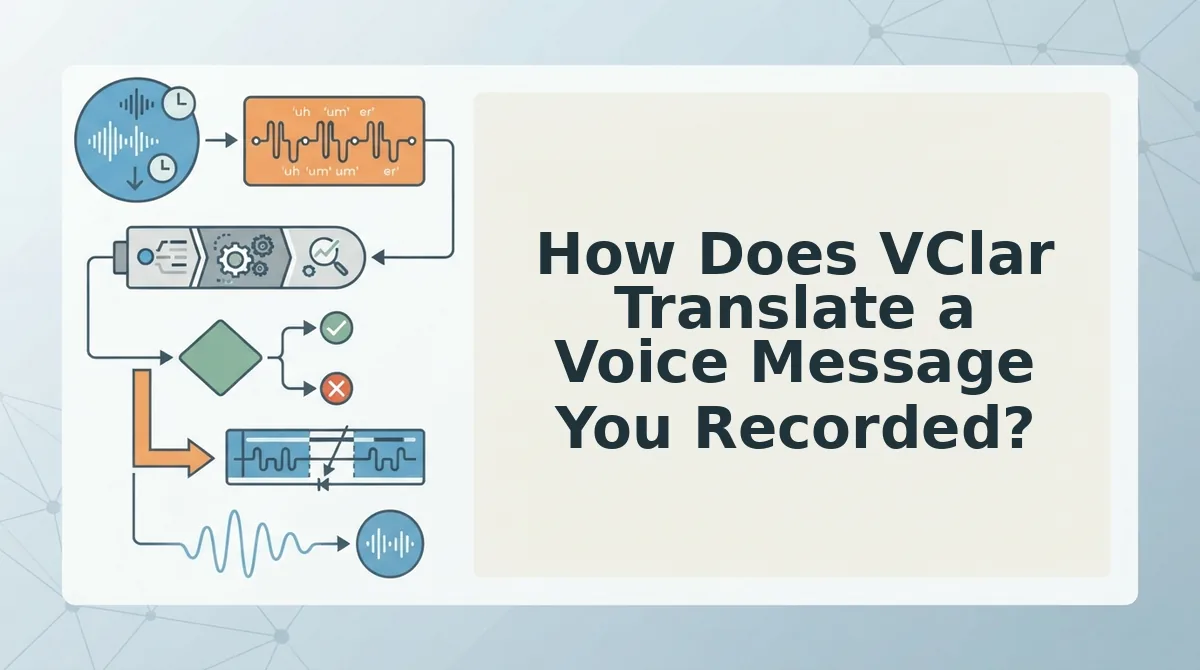
VClar cleans your recording first and translates it second. Because of that order, the translated message carries a tightened version of what you actually said, in your own voice.
Before you start, you need:
- A microphone or phone
- A raw voice message, either recorded in VClar or uploaded as audio
- A target language from VClar's supported list
- Record your message in one take. Speak naturally for about 45â90 seconds, the typical length of an async message. Don't restart when you stumble. Once you stop recording, you should have a single raw clip.
- Remove filler words and awkward pauses. VClar detects ums, ahs, "like," "basically," "you know," and repeated false starts, then cuts them from the audio timeline. The cleaned clip should sound decisive and direct.
- Fix spoken grammar and tighten your phrasing. VClar corrects grammar slips that are common in speech and trims loose wording. You should hear the same point, stated more cleanly. For more detail, see how to fix grammar in a voice message.
- Reduce background noise, breath sounds, and mouth clicks. This step removes acoustic distractions, so your voice stays in the foreground.
- Select your target language and translate. VClar translates the cleaned message while preserving your tone, accent, and cadence. Does VClar change my accent? No. VClar is designed to keep your natural accent and rhythm rather than swap your voice for a synthetic one. The translated version should still sound like you.
Here is how this works for a B2B sales rep. After a call with an enterprise buyer who speaks another language, the rep records a follow-up in one take, cleans it, and translates it. The buyer receives a polished message in the rep's own voice, and the rep never had to re-record.
The re-record loop is the problem VClar is built to solve. If you can say the message once, VClar handles the cleanup and translation from that single take.
Some jobs, however, call for a voice you never recorded.
When Is ElevenLabs the Better Choice?
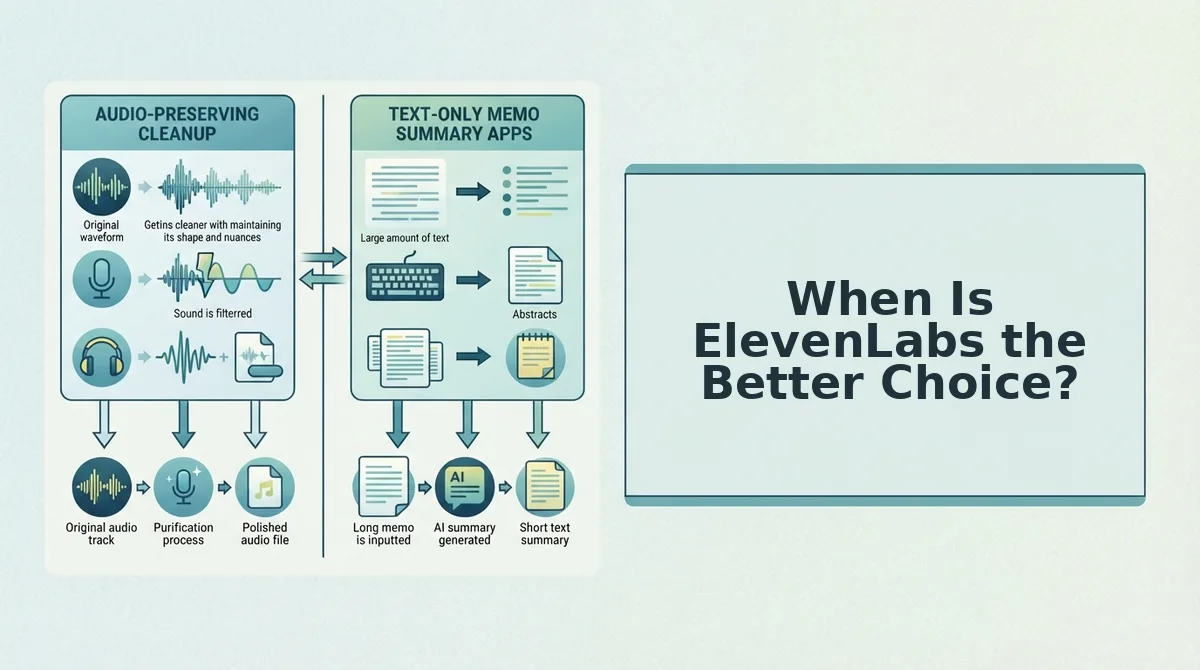
ElevenLabs is the better choice when the job is producing a voice rather than cleaning up one you already spoke â narration, dubbing, cloned or generated speech, or live conversation in 90+ languages.
That is a different product category, not a higher tier. Here are the cases where it wins outright.
- You need a language outside VClar's 11. VClar covers Hindi, English, French, Japanese, Korean, German, Russian, Portuguese, Spanish, Italian, and Chinese, which is 11 languages and 110 translation directions. If your listener speaks Thai, Arabic, or Turkish, no amount of cleaning helps â you need a provider whose coverage reaches that language, and ElevenLabs Realtime Translation claims 90+ languages according to the ElevenLabs Tools Learning video [verify against ElevenLabs official docs].
- You are producing scripted or production audio. Narration, audiobook chapters, ad reads, and video dubbing start from a written script and need a polished studio delivery. VClar starts from something you already said out loud, so a scripted asset has nothing for it to clean.
- You want generated or cloned speech. ElevenLabs is built around text-to-speech and voice cloning â the Aeris Vale Tutorials video draws the line between voice conversion, which reshapes an existing recording, and text-to-speech, which creates speech from text. If your deliverable is a voice that was never recorded, that is the right tool.
- You need live translation during a call. Realtime Translation is aimed at in-conversation use rather than async messages, per the ElevenLabs Tools Learning video [verify]. A recorded voice note and a live call have opposite latency needs.
- Whether ElevenLabs can translate an already-recorded voice note is unconfirmed. Treat this as [verify â human review]: check ElevenLabs' own documentation and run a test file before you build a workflow around it. If it cannot, the decision is already made for you.
None of these are quality arguments. They are fit arguments, and they cut both ways â the next section covers where VClar stops.
Where VClar Falls Short and the 5-Question "Whose Voice Is It?" Test
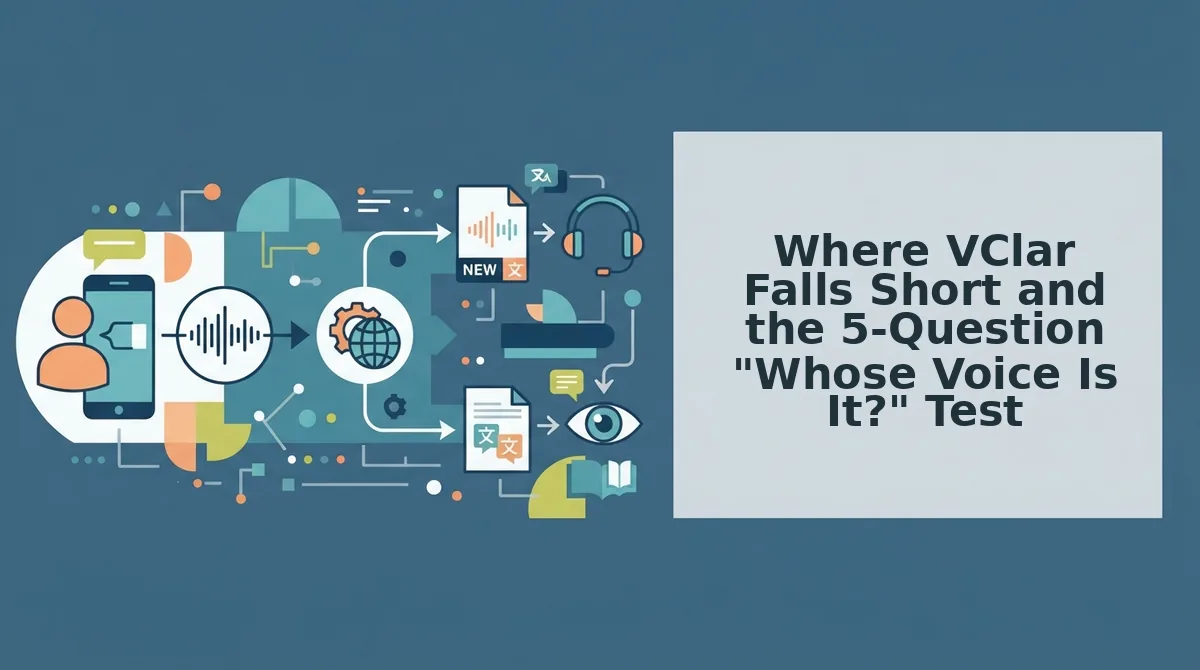
But there's a catch: VClar only cleans and translates a voice you actually recorded, in 11 languages, for async messages â it does not generate, clone, or dub a synthetic voice, and it is not built for live calls.
That constraint is the whole decision. A voice message enhancer is less like a text-to-speech engine and more like a good mastering pass on a recording: it can remove the noise and tighten the take, but it cannot supply a performance that was never there.
The "Whose Voice Is It?" test is five questions that tell you which tool the job belongs to. Work through them in order.
- Did you speak it or script it? If the words came out of your mouth in the moment, VClar has something to clean. If you wrote them first, you are producing audio, not messaging.
- Must the listener hear your actual timbre and accent? Independent freelancers and consultants delivering client updates are a verified audience segment here, and for them the accent is part of the relationship. A recognizable voice carries trust that a neutral generated one does not.
- Is this an async voice message or a production asset? A 45â90 second update sent between meetings is async. A narrated explainer with a music bed is a production asset and belongs in an editor.
- Do you need a language outside VClar's 11? Hindi, English, French, Japanese, Korean, German, Russian, Portuguese, Spanish, Italian, Chinese. Outside that list, coverage decides before anything else does.
- Does the context require disclosure of an AI voice? This is a trust consideration, not a technical one. Ask whether your listener would feel misled if they learned the audio was synthetic â and note that no one can reliably promise a listener will or will not notice.
Worked example. A freelance designer in Lisbon sends a weekly progress update to a client in Seoul. She spoke it, her voice is the relationship, it is a 70-second async message, Korean is on the list, and a cleaned version of her own voice raises no disclosure question. Five for five â VClar.
A contrarian point worth sitting with: for relationship messages, a cleaned real voice often does the job better than a technically perfect synthetic one. The imperfections that remain signal a person, and the filler removal is what was actually hurting clarity.
Recommendation: if you recorded the message yourself and the relationship depends on your real voice, clean and translate it with VClar. If you scripted it, need a language outside the 11, or need generated speech, use ElevenLabs.
Frequently Asked Questions
How do I translate WhatsApp voice notes to English?
Export or upload the voice note to a translator that accepts audio, choose English as the target, and download the cleaned result. VClar keeps your original voice and accent in the translated track. See the step-by-step guide to translate WhatsApp voice notes.
Can I translate my voice message without cloning my voice?
Yes. Translation does not require a voice clone â VClar translates the cleaned recording while preserving your timbre, accent, and cadence, so the output is still recognizably you rather than a synthetic stand-in.
Is Descript worth the setup for short voice messages?
Rarely. A timeline editor adds project setup that a one-take message seldom needs. For a 60-second note, upload-and-clean is faster. Compare the workflows in VClar vs Descript.
Can ElevenLabs translate a voice note I already recorded?
Unconfirmed. ElevenLabs centers on text-to-speech, voice cloning, and a Realtime Translation feature aimed at live use, and its support for translating an existing recording is not documented clearly enough to state here [verify â human review].
With the trade-offs laid out, the choice comes down to whether you need your own voice or a generated one.
Which Should You Choose for Your Voice Messages?
If you recorded the message yourself, choose VClar. If you need a script voiced, a synthetic voice generated, or a language outside VClar's 11, choose ElevenLabs.
Feature count was never the deciding factor. Voice ownership is: whose voice should your listener hear?
Apply that rule to the next message you send:
- You spoke it: Run it through VClar to remove fillers, fix spoken grammar, and translate it while keeping your tone, accent, and cadence.
- You scripted it or need it generated: Use ElevenLabs for text-to-speech, voice cloning, or dubbing.
- Your target language isn't among VClar's 11: Check ElevenLabs' supported language list instead.
Pick one voice note you would normally re-record. Upload it to the AI voice message translator and compare the result with your raw take. You should get a clear, one-take message in your listener's language that still sounds like you.
The best voice message translation carries your voice across languages instead of replacing it.
You can also translate a voice message.